REC · 2268 × 1712 · 60 FPS
FrameTune App Icon

Anything on screen,
ready to share.

Screen recorder & screenshot editor for Mac.

Download Free for Mac Free for macOS · No subscription

Capture. Then tune.

⎘
Tune Notes
Auto ▾
Anything on screen,
ready to share.
Screen recorder & screenshot editor for Mac.
Download for Mac
◷ 00:00
00:0000:0200:0400:0600:0800:1000:12
⏲ 1.0x
1.9× Zoom

Built to make every frame count.

Annotate key details, follow every click automatically, or let your coding agent record and export for you.

Make your
point.

Add arrows, numbered steps, and highlights to screenshots.

Launch workspace
Launch checklist • 3 of 4 ready
✓ Finalize the product story
✓ Review the landing page
1 Share the walkthrough
Publish the release notes
↖ ⌾ ✎ ↗ ▢ ▾ T # ▦ ▾

A closer look.
Automatically

Your recording follows the action.

✓ Review the landing page
✓ Share the walkthrough
Publish the release notes
Share preview ↗
⊙ 00:03
2.0× Auto Zoom

Your agent.
On the job.

Ask your coding agent to capture, edit, and export.

Claude Code
> Capture the Team page, hide the emails, and export a PNG.
✦ ✓ capture ✓ redact ✓ export
Maya Chen
maya.chen@frametune.app
Owner
Leo Park
leo.park@frametune.app
Admin
Ana Ruiz
ana.ruiz@frametune.app
Member
team.png · emails hidden ✓

Every little finishing touch.

All the details you need to record, polish, and share in seconds.

Trim & playback
speed

Cut the wait. Speed up slow parts.

00:12 ≫ −2.4s saved
00:00 00:04 00:08 00:12
1.5× Speed
2.0× Auto Zoom

Copy text from
images

Select the words in any screenshot.

Launch keynote · 2026 Vision OCR
Make something

worth sharing.
Select text ✓

Keyboard
shortcuts

Record, pause, and annotate without touching your mouse.

esc
F1
F2
F3
F4
F5
F6
~ `
! 1
@ 2
# 3
$ 4
% 5
^ 6
& 7
tab
Q
W
E
R
T
Y
caps lock
A
S
D
F
G
H
shift
Z
X
C
V
B
fn
⌃ control
⌥ option
⌘ command

Export in your
format

MP4 or GIF, ready to share.

Export ✕
MP4 GIF
3.1 MB
Share
Compact export for chat
↓ Export

Screen, window
or area

Capture exactly what you need.

Notes File Edit Format View Window
iCloud
Launch plan
9:41
Release notes
Yesterday
Launch plan
Ship the editor on Tuesday.
✓ Record the walkthrough
✓ Polish the zoom
Export a GIF

Free to start.
Support if you love it.

Every feature unlocked out of the box. Or back indie development with a one-time $9 supporter license.

Free Plan
$0
free download · macOS

Download free with every feature unlocked. No credit card, no subscription.

Download Free for Mac
Same full features in Free & Supporter

100% local processing on macOS 14 Sonoma & later:

  • 60 FPS Screen, Window, Area & Device capture
  • Click-following Auto Zoom & non-destructive timeline
  • On-device Whisper.cpp captions & Vision OCR
  • Studio wallpapers, device mockups & MP4/GIF/PNG
  • Built-in CLI & 18-tool MCP server for Claude Code
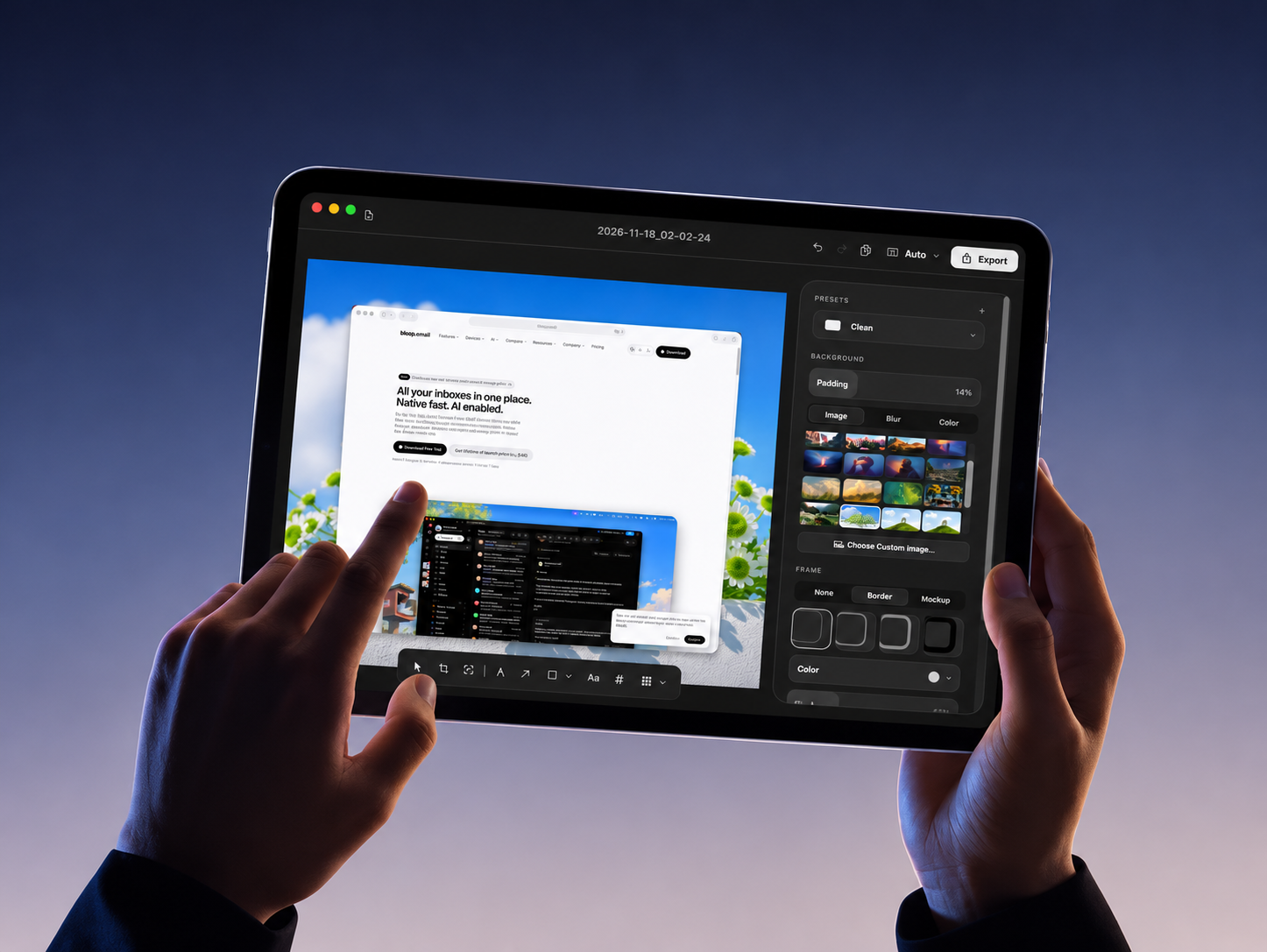
FrameTune Tablet App Mockup

Everything you need to
know.

Answers to all your questions, quickly and clearly

— + What is FrameTune?

FrameTune is a comprehensive macOS screen recorder and screenshot editor designed with a minimal and modern approach. It provides essential building blocks for creating polished product demos, including click-following Auto Zoom, annotations, backgrounds, device frames, and instant export.

Available natively for macOS Sonoma and later, FrameTune is the ultimate tool for designers, developers, and teams to streamline their workflow and share their work effortlessly.

— + Can I upgrade my plan at any time?

Yes. You can start free right away and grab the $9 one-time Supporter license anytime to back indie development.

— + Is there a subscription required?

No subscription is required. FrameTune runs locally on your Mac without recurring monthly fees or forced cloud accounts.

— + What is included in the free plan?

All core screen recording, screenshot annotation, Auto Zoom keyframes, custom backgrounds, and MP4/GIF/PNG exports are available out of the box.

— + Are my recordings uploaded to the cloud?

Never. FrameTune captures, transcribes, and renders everything locally on your Mac so sensitive code and customer data never leave your device.

Still have a question in mind?
Contact us if you have any other questions.
Contact us
1. HERO |